Archive | Tutorials RSS feed for this section

When to Switch to VPS Hosting or a Dedicated Server

4 Feb

The topic of VPS offerings, or Virtual Private Servers, is not a new one, at least not to any seasoned web guru. For those new to the web industry, the realization that a shared hosting plan may not be the end-all for web hosting often comes as a harsh dose of reality after a quick burst of growth. The scaling from a shared hosting plan, to a virtual private server (vps), sometimes followed by a physically dedicated server (dedicated hosting) depending on the site’s traffic and server load, is generally unknown to a beginner webmaster.

(more…)

Check the Server CPU Temperature

6 Jan

It may come in handy to know how to check the CPU temperature of a server over SSH from time to time. It is nice to know how to check the vitals of a system quickly and easily. Use the following command to check what the current temperature reading of the processor of your server is over a SSH session or via any other terminal window:

(more…)

View the beginning of a log file using HEAD

26 Apr

Use the following command to view the first 10 lines of a log file or any other txt file.

[root@chaseleads ~]# head /path/to/your/web_transfer.log

(more…)

Shutdown the Server

3 Apr

This is one of the most basic commands on a linux box, but you’d be boggled by how many people don’t know how to properly shut down, or reboot, a server. Here is a quick explanation of the shutdown command.

(more…)

Viewing Log Files using Tail

1 Apr

To watch active log files change on your screen and monitor them, it is sometimes useful to use the “tail” command. To view the log file’s recent activity. Type the following:

(more…)

How to setup an SSL Certificate on Apache

31 Mar

Setup SSL Tutorial teaches you how to generate and setup a SSL certificate.
Assuming you have apache and openssl installed, you would like to generate and setup an SSL certificate for a domain and generate a CSR.

(more…)

How to redirect pages using a 301 redirect and the .htaccess file

31 Mar

301 redirect is the most efficient and Search Engine Friendly method for webpage redirection. It is very easy to implement and it should preserve your search engine rankings for that particular page.

(more…)

Installing Apache, MySQL, and PHP on Windows Vista

30 Jan

Installing Apache, MySQL, and PHP on Windows Vista

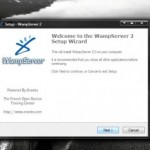
If you’re looking for a good developmental server for your work, or just for personal use, what better place than your workstation? It eliminates the need for uploading your work to a remote server and allows you to run your scripts and test your website in a server environment. You can even set it up to be accessible to world, password protected, or invisible behind your firewall.  Nowadays, it is easier than ever to get a complete web server setup on Windows. WAMP is a popular package combining the popular web server Apache, MySQL Database server, and PHP scripting language. The install takes a few minutes and is super easy; if you can click Next, you’re good. With a couple quick tweaks to your router and httpd.conf file you are ready to serve files to the web. The below steps will get you up and running in minutes, let’s get started!

(more…)

SSH Cheat Sheet

29 Jan

SSH Cheat Sheet

SSH is a necessary tool in any server admin’s arsenal. It is the main way you will be interacting with your servers whenever you are performing system tasks such as install, updates, etc. SSH allows you to remotely connect to your server and command it via the shell. Below is a list of commands you will use commonly while working with your server.

(more…)

New tutorials on the way!

29 Jan

New tutorials on the way!

Several tutorials are being written and will be showing up on the site very soon! We would like to hear your opinions on what tutorials you would like to see! We will cover all of the basic apache tasks (install, configuration, ssl, etc.) but also want to go more in depth with modules and other web server related services. This means things such as Ruby on Rails, Webmin, virtualization, and other frameworks, for example. What do you think? What would YOU like to see? Comment on this post or let us know in the forums!